
Decide who sees a course with audiences
An audience is a set of people in your organization who should see the same courses. A learner finds a course in their catalogue, and can enrol in it, when they share an audience with it. You and other administrators can still enrol anyone in any course.
Everyone holds every person and, at first, every course. Retail is for a future web shop and starts empty. Audiences made above your organization show From above: you can put your people and courses in them, but only their maker renames them or sets their PIN.
Make an audience
- Open Settings, then the Organization tab, and go to Audiences.
- Enter a name under New audience and choose Create.
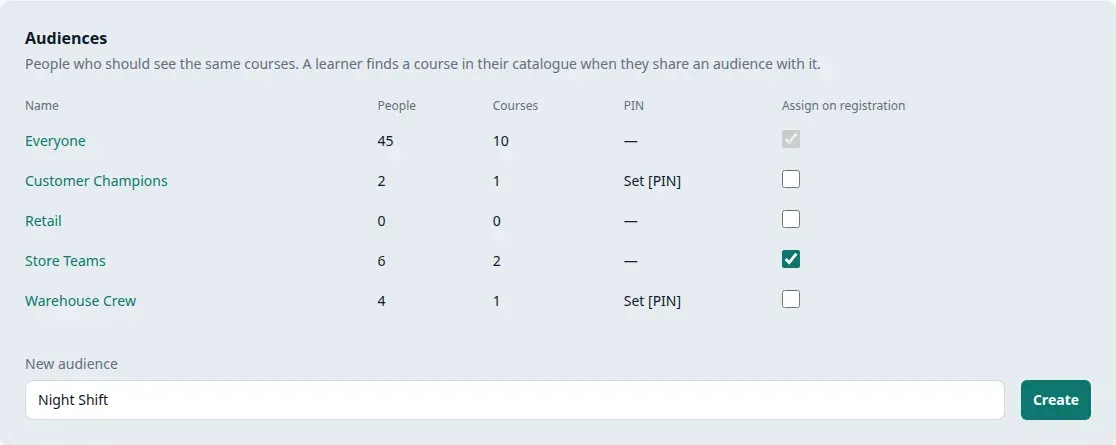
Creating, renaming and setting a PIN need your organization’s own plan, Bronze or above. Names are unique, up to 60 characters.
Put people in it
-
Several at once: choose the audience’s name, then Add people. Tick people, or Select all shown, and choose Add. Only people of your organization and the ones beneath it are offered.
-
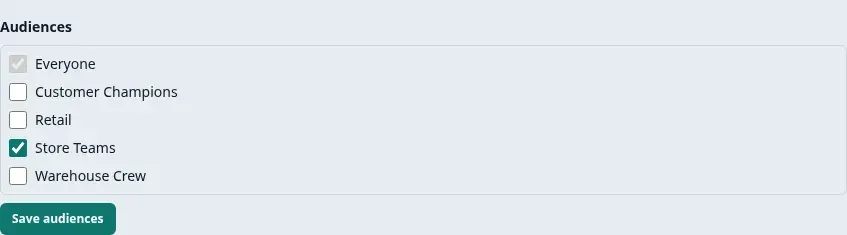
One person: on Users, open the person. Under Audiences, tick theirs and choose Save audiences. Everyone is always ticked.
-
On joining: tick Assign on registration beside the audience. Each new member of your organization, or one beneath it, goes in, however they join; someone waiting for approval goes in once approved.
-
By PIN: in the audience, Set a PIN of 4 to 12 letters and digits. People then join it from their profile. See Join an audience.
Instructors can change their learners’ audiences, not administrators’.
Put courses in it
-
A course you own: open it and, on Properties, tick its Audiences. Choose Update. These travel with the course to every organization that receives it.
-
A course you receive: choose Audiences from its … menu. The owner’s audiences show under From the course owner. Tick your own and choose Save audiences. Yours apply to your organization and those beneath it.
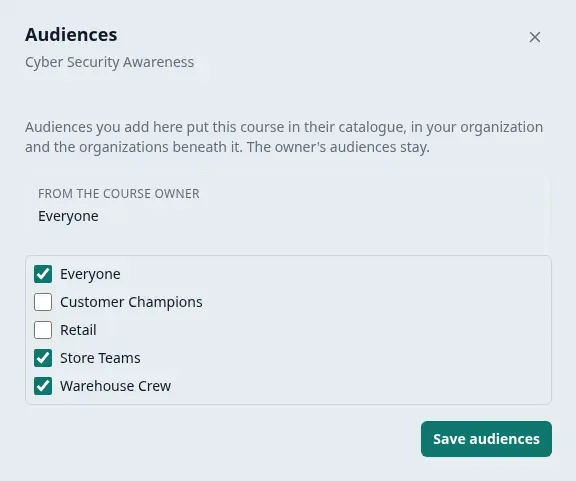
A course in no audience says Not in any audience: learners can’t find this course.
Good to know
- Enrolments always continue. Changing an audience never takes anyone off a course they are on.
- Delete audience removes its people and courses here and beneath, and says how many first. Enrolments stay.
- Every change is in the Activity log.
If this didn’t help
Ask Nix to log a support ticket, or open Support under Need help?.
Copyright © 2026 Acadenix.com