
Download your certificates
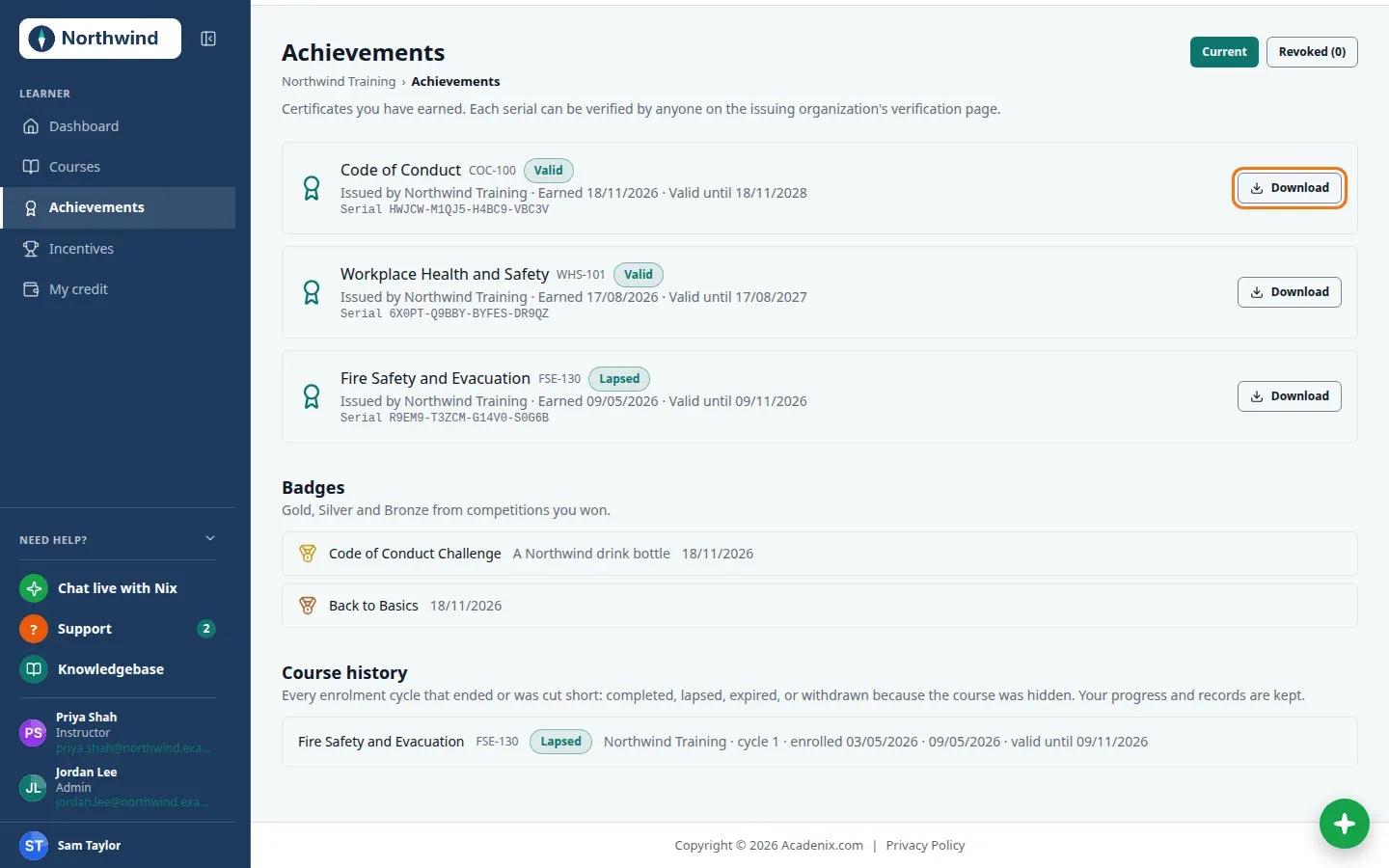
Your certificates are on the Achievements page.
Steps
-
In the sidebar, choose Achievements.
-
Find the course under Current.
-
Choose Download next to it.
Good to know
- A certificate appears when you complete a course that issues one. Not every course does. Your organization may also email it to you.
- While a certificate shows Being issued, there’s nothing to download yet. Come back in a moment.
- Each certificate shows its status: Valid, Lapsed when its validity has run out, Superseded when it has been replaced, or Revoked. Revoked certificates are under Revoked.
- Anyone can check a certificate by its serial on the issuing organization’s verification page.
- Course history lists every enrolment that has ended: completed, lapsed, expired, or withdrawn because the course was hidden. Your records are kept.
- Copied history lists learning copied to your account from another organization in your group. The original records stay there.
If this didn’t help
Ask Nix to log a support ticket, or open Support under Need help?.
Copyright © 2026 Acadenix.com