
Ask Nix for help
Nix answers questions about using Acadenix: where things are and how to do them. It knows how Acadenix works, not what’s in your account.
Steps
-
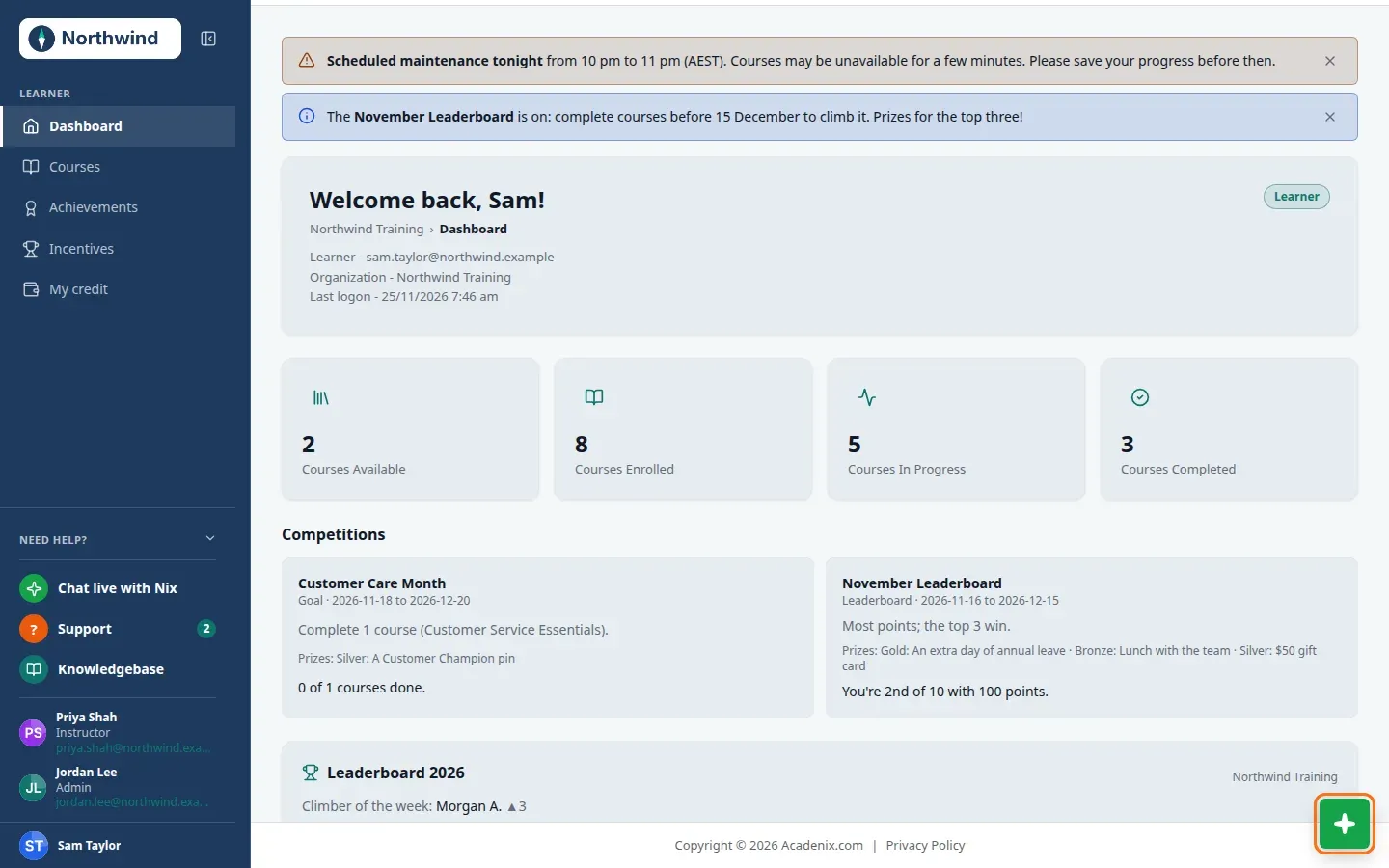
Choose the green sparkle at the bottom right of the screen (Ask Nix), or Chat live with Nix under Need help? at the foot of the sidebar. The arrow beside Need help? folds it down to a ?; choose that to open it again.
-
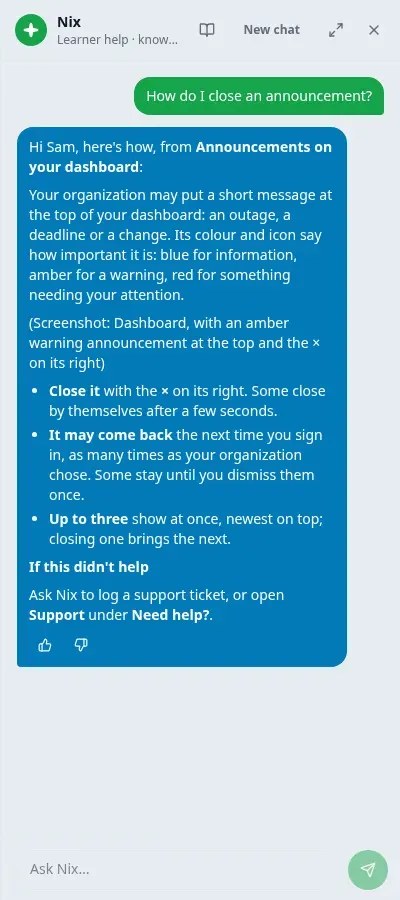
Type your question in Ask Nix… and press Enter. Shift and Enter starts a new line.
-
Rate an answer with the thumbs under it: Helpful or Not helpful.
-
Choose New chat to start over. The buttons at the top right make the window wider or smaller, and close it.
When Nix can’t help
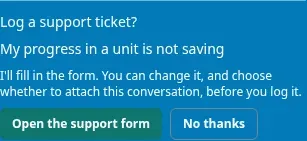
Nix can offer to log a support ticket for you. Choose Open the support form, or No thanks. The form opens with the type, subject and a summary filled in by Nix. Change anything you like, then choose Log support ticket. Your conversation with Nix goes with it only if you tick Attach my conversation with Nix. See Log a support ticket.
Good to know
- Nix can’t see your courses, progress, results or settings, so it can’t check them for you.
- Read more under an answer opens the help article it came from, in the Acadenix Knowledgebase. Knowledgebase under Need help?, and the book at the top of the Nix window, open the article for the screen you’re on.
- Nix won’t explain course content or help with test answers.
- Nix is hidden while a course is full screen. Leave full screen (Esc) to use it.
- Your conversation stays with you as you move between pages, until you start a new chat or reload the page.
- Nix takes text only: you can’t attach files or pictures.
- There’s a daily limit on questions, and a monthly one for your organization. If you reach one, Nix tells you when you can ask again.
- Conversations are deleted after 30 days. Until then, Acadenix can read them to improve Nix.
- Never type a sign-in code into Nix.
If this didn’t help
Ask Nix to log a support ticket, or open Support under Need help?.
Copyright © 2026 Acadenix.com