
Enrol learners in a course
You can enrol the people of the organization you are working in, several at a time, from the course.
Steps
-
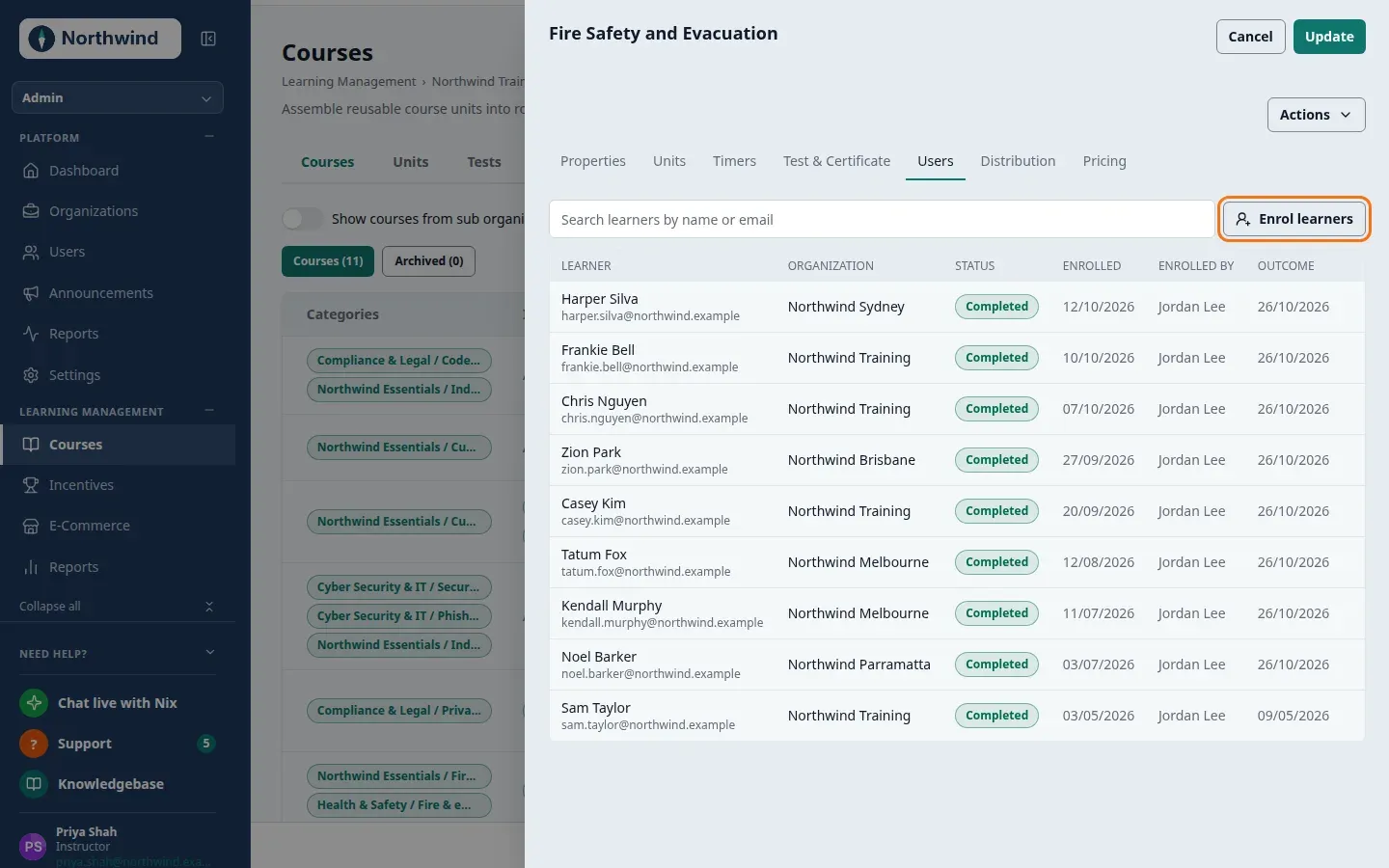
In the sidebar, choose Courses, then select the course. It opens on the right.
-
Choose the Users tab, then Enrol learners.
-
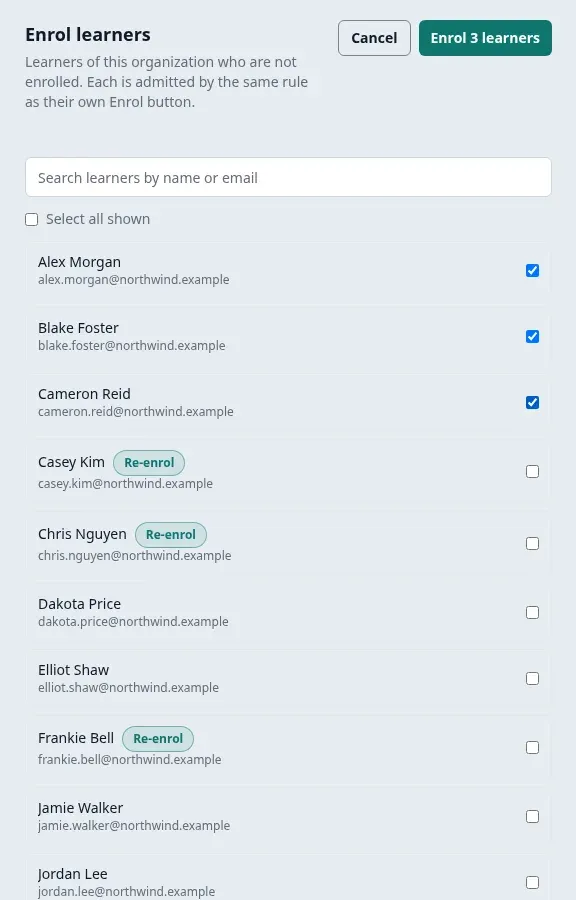
Search by name or email, and tick the people to enrol. Select all shown ticks everyone on the page you are looking at (50 at a time).
-
Choose Enrol N learners.
You are told who was enrolled and who was skipped, and why. Choose Enrol more to carry on, or Done.
You can also enrol one person from Users: open them, then under Enrol in course choose the course and Enrol.
Who you can’t enrol
Someone who can’t be enrolled is greyed out, with the reason under their name, for example:
- Not active in this organization.
- Completed; the course does not allow re-enrolment. or Re-enrolment opens on a date, from the course’s re-enrolment setting.
- Enrolment is currently unavailable. The course isn’t published, doesn’t reach this organization, or new enrolments are switched off here.
- Enrolment closed on the course’s closing date.
Someone who hasn’t completed the course this one requires first shows that reason, but you can still tick them and enrol them anyway.
Re-enrol beside a name means their last enrolment has ended, and this starts a new one.
Good to know
- Only people of the organization you are working in are listed. To enrol people of an organization beneath it, switch to that organization first.
- A course with a price is paid for from your organization’s unallocated training credit when you enrol someone. When there isn’t enough, they are skipped and you are told.
- A course an organization above makes free costs your organization nothing. While that organization’s credit can’t pay, the course is not available right now, and you aren’t emailed about it.
- When your learner seats are full, nobody new can be enrolled until learners who no longer need access are archived or more seats are bought.
- There is no general unenrol. A paid enrolment nothing of which has been opened can be undone with Undo enrolment on the Users tab, which refunds its price.
- Enrolling again when a completion lapses can be automatic; see Set course timers and re-enrolment.
- A learner whose audiences don’t reach the course shows a note beside their name. You can still enrol them: audiences limit only what learners find themselves.
If this didn’t help
Ask Nix to log a support ticket, or open Support under Need help?.
Copyright © 2026 Acadenix.com