
Unpublish, archive or hide a course
A course is Draft, Active, Archived or Hidden. The list shows each course’s Status; archived and hidden courses are under Archived.
Steps
-
In the sidebar, choose Courses.
-
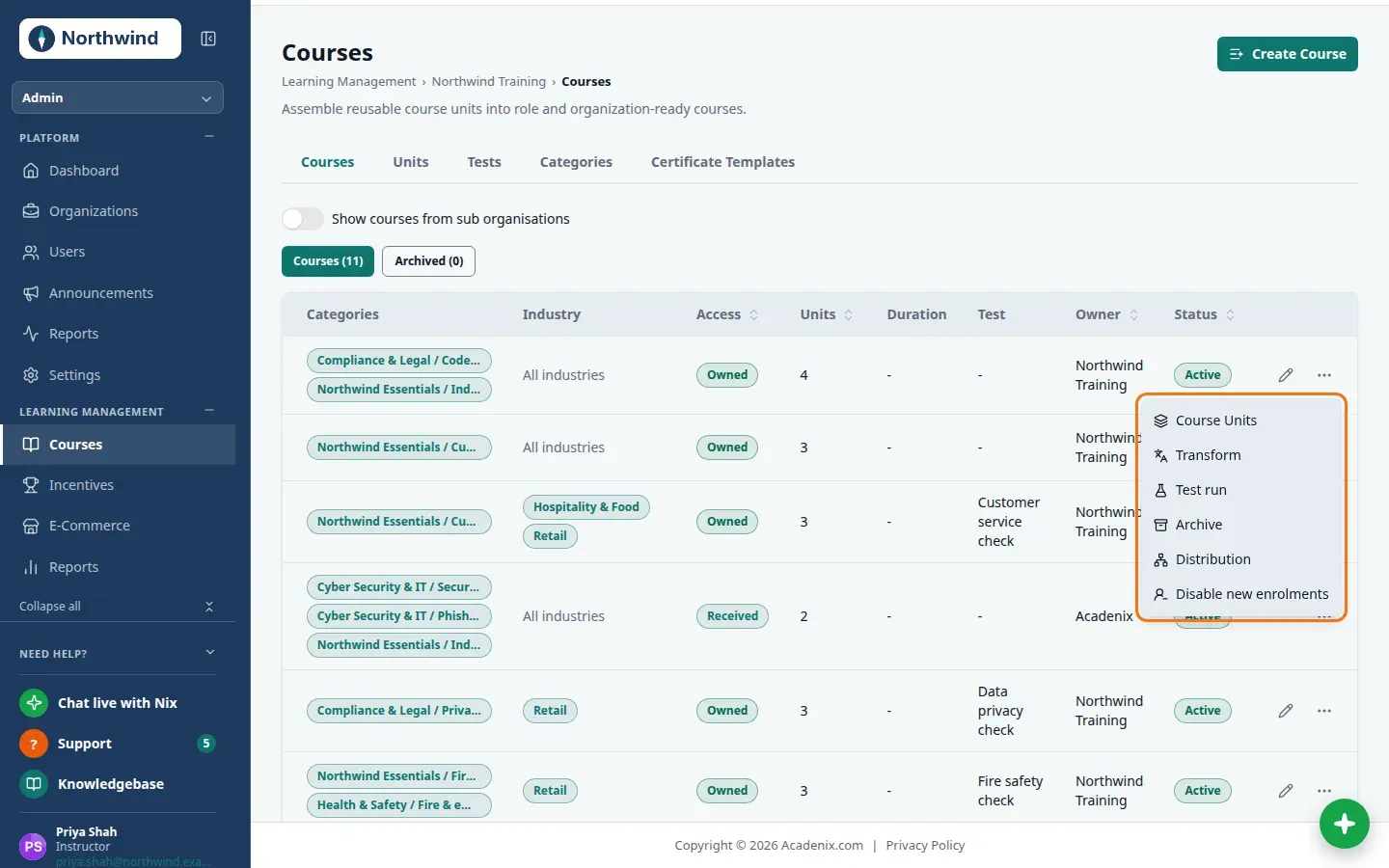
Open the course’s … menu, or open the course and use the buttons under Course status on Properties. Save your changes first.
-
Choose the change and confirm it:
-
Publish: a draft becomes Active, open for enrolment wherever it goes.
-
Unpublish: back to Draft, only while nobody has ever enrolled.
-
Archive: no new enrolments anywhere, and new learners can’t find it. Enrolled learners can finish; completed learners keep their records.
-
Restore: Active again. If its Enrolment closes date has passed, clear it or choose a later one.
-
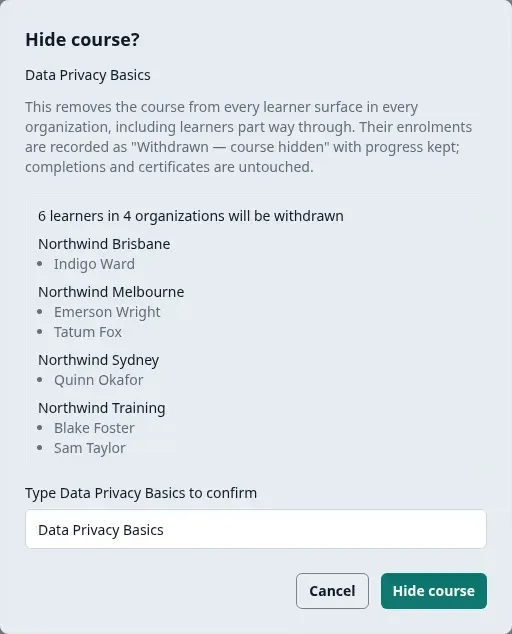
Hide: from Archived, removes it from every learner, including those part way through. Their enrolments are withdrawn with progress kept; completions and certificates stay. You see who is affected and type the course name to confirm.
-
Unhide: back to Archived. Withdrawn learners stay withdrawn, and can enrol again once it is restored.
-
Delete draft: removes a draft nobody has enrolled in. Its units, tests and files stay.
-
Delete course: removes an archived or hidden course in which nobody made any progress, once every enrolment in it was withdrawn. The withdrawn enrolments go with it; its units, tests and files stay.
-
Stop new enrolments in your organization only
Choose Disable new enrolments from the course’s … menu, and Allow new enrolments to undo it. It works on courses you receive too, affects only your organization, and learners already enrolled carry on.
Good to know
- A course someone made progress in can’t be deleted. Once anybody started a unit, finished, took its test or paid for it, the furthest it goes is Hidden. To delete a published course nobody used, archive it first.
- A course another course requires, or one an Automated Event names, can’t be deleted.
- Only the organization that owns a course changes its status, and the change applies everywhere the course goes. An organization that receives it sees it under Courses while Active, read-only under Archived while archived, and not at all while Draft or Hidden.
- Enrolment closes, on the Timers tab, archives the course automatically at the end of that day.
If this didn’t help
Ask Nix to log a support ticket, or open Support under Need help?.
Copyright © 2026 Acadenix.com