
Require a course first, or units in order
A course can require learners to complete another course before they enrol, and can make its units run in order.
Require another course first
-
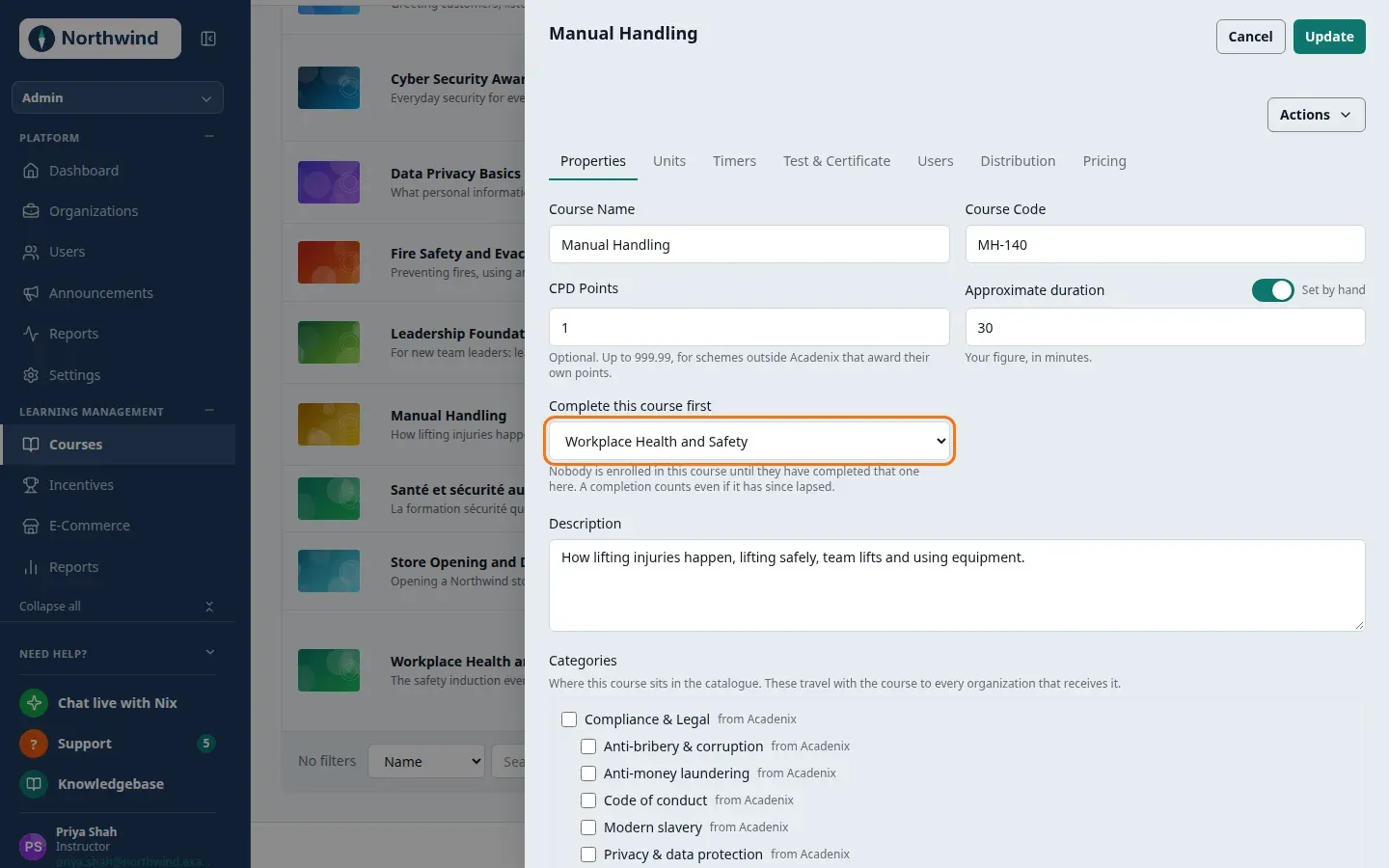
In the sidebar, choose Courses, open the course and stay on Properties.
-
Choose the course in Complete this course first, or No prerequisite to remove it.
-
Choose Update.
Nobody can enrol until they have completed that course in the same organization. A completion counts even if it has since lapsed, and learners already enrolled keep their place. Learners still see the course, with the reason: Complete course first., or This course is not available to you yet. when they can’t take the required course.
Make the units run in order
-
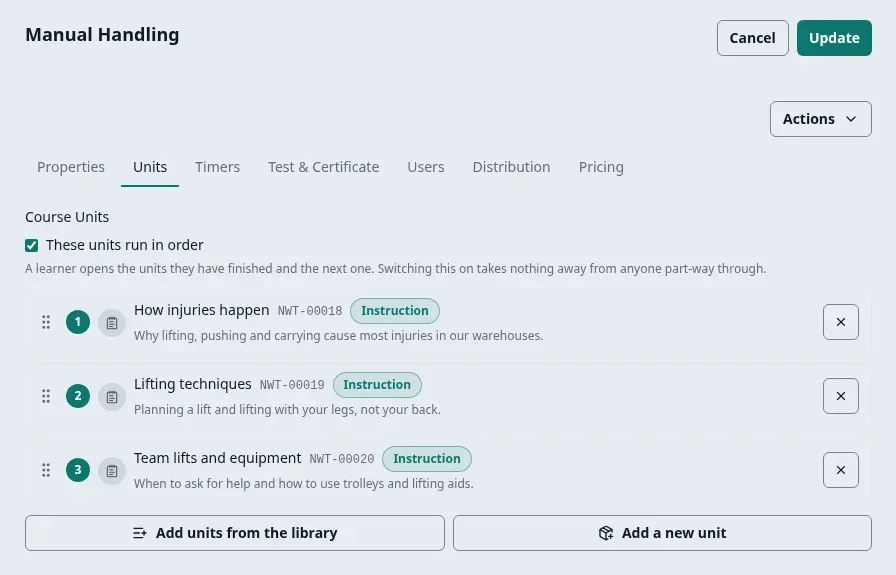
Open the course and choose Units.
-
Tick These units run in order, and drag the units into order.
-
Choose Update.
Good to know
- One required course per course. A course can’t require one that already requires it, directly or through another course.
- You can enrol someone anyway. In Enrol learners, a learner held back only by the required course shows the reason but can still be ticked.
- Complete this course first lists the courses on the page of the Courses list you opened the course from.
- A course that another course requires can’t be deleted.
- Units in order holds back every unit, SCORM, PDF, Instruction and web package alike: a learner can’t open one until every unit before it is finished, and it shows Locked in their list. Finished units always stay open, and switching this on takes nothing away from anyone part way through. A unit shared with a course that doesn’t order its units can still be opened from that course.
- The test always comes last, after every unit, whatever this setting.
- Only the organization that owns a course sets these, with a plan of its own: Bronze, Silver or Gold.
If this didn’t help
Ask Nix to log a support ticket, or open Support under Need help?.
Copyright © 2026 Acadenix.com