
Impersonate a user
Impersonating lets you use Acadenix as one of your people does, in their own organization, to sort out a problem only their account shows.
Steps
-
In the sidebar, choose Users.
-
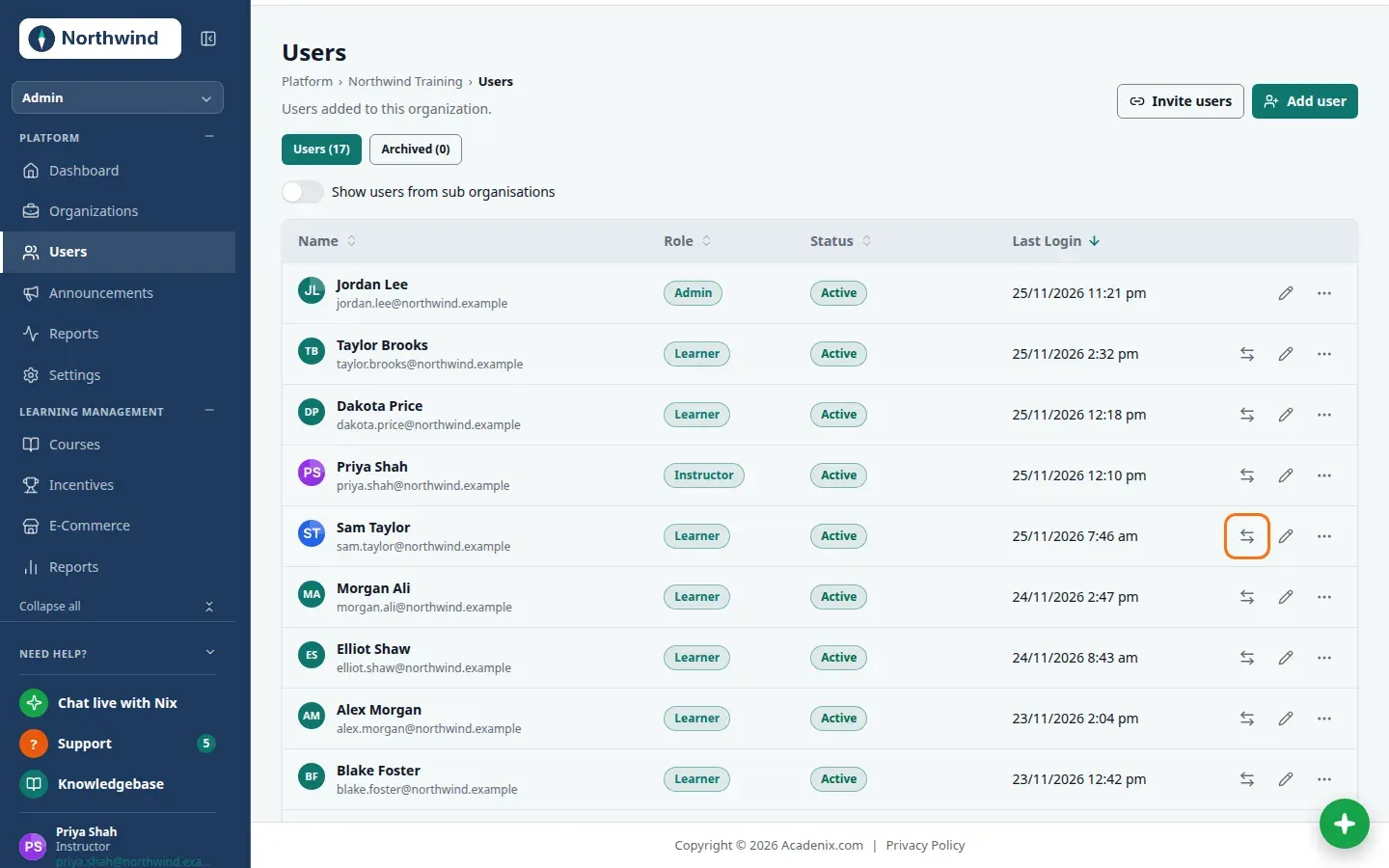
On the person’s row, choose the switch icon (two arrows) to the left of the pencil. From their slide-out, it is Actions, then Impersonate. If they are online, the same icon is on their row in Currently online at the bottom of your dashboard.
-
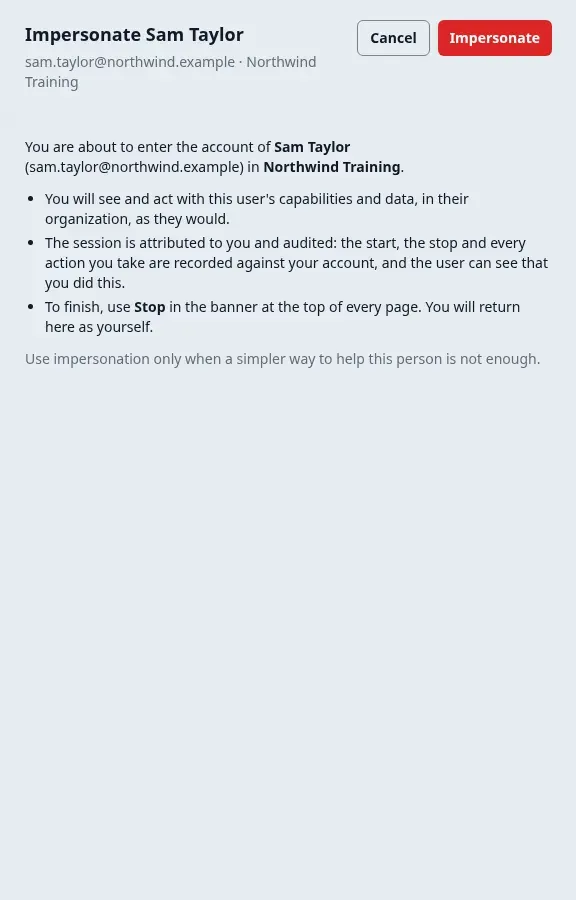
Read the confirmation and choose Impersonate.
-
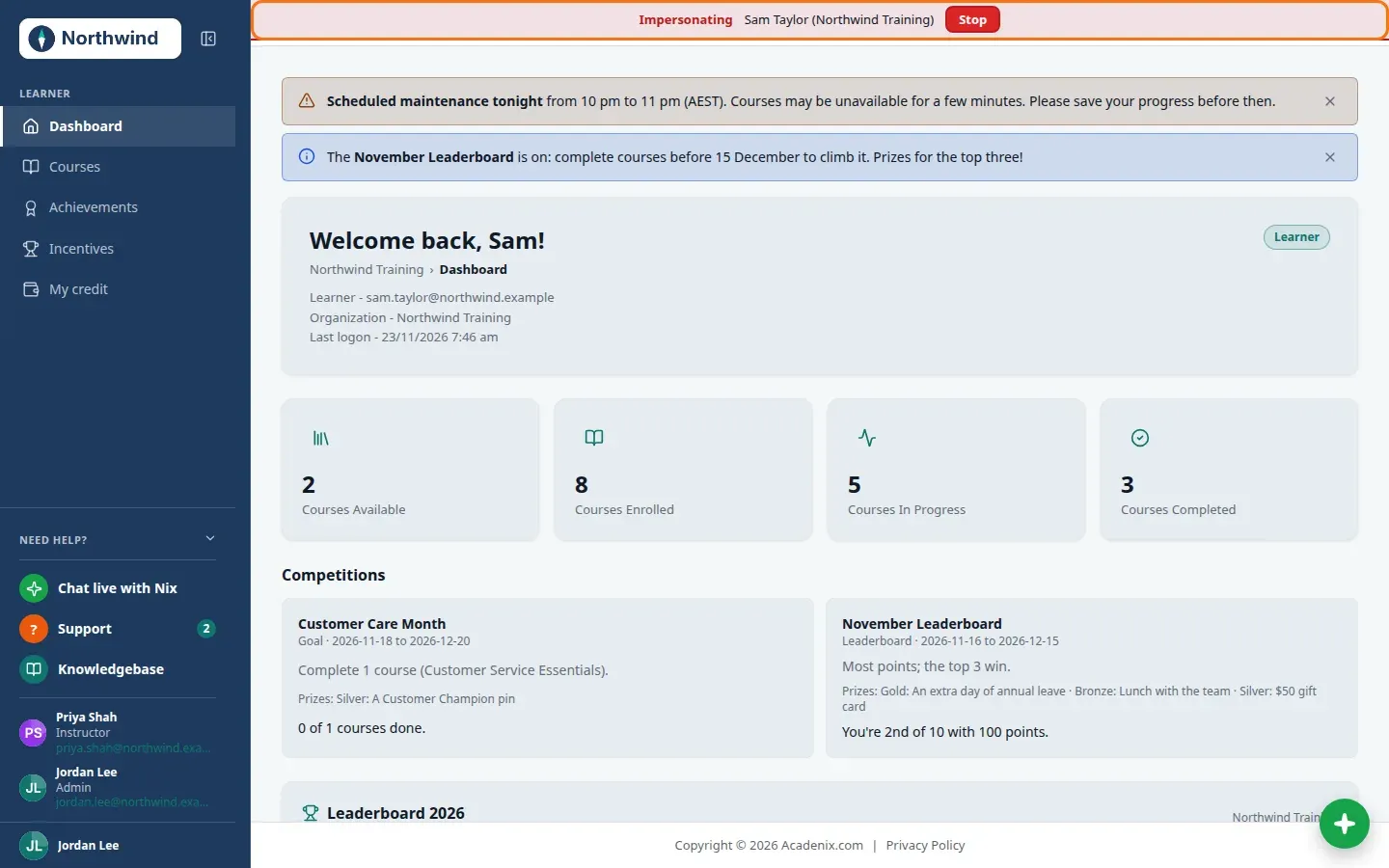
You land on their dashboard. A bar at the top of every page says Impersonating, with their name and organization.
-
When you are done, choose Stop in that bar, or Stop impersonating in your user menu. You are back on Users, as yourself.
Who you can impersonate
- Anyone active whose home organization is yours or one beneath it. The switch icon appears only on their rows.
- Not yourself, a global administrator, or someone suspended, archived or waiting for approval, and not while their home organization is inactive.
Good to know
- It is audited. The start, the stop and everything you do in between are recorded against your account, and all of it appears in the Activity report, under Reports in the Platform group: what you did reads as the person’s, “impersonated by” you. Administrators of organizations below yours see An administrator above rather than your name.
- The person isn’t emailed, their Last Login doesn’t change, and the session doesn’t take a licence seat.
- You see what they see, with their role and their data. You can’t switch organization or impersonate someone else until you stop.
- Courses and tests are a test run. You see their real progress, and a course opens where they left it, but nothing you do is saved to their record: no progress, attempts, completions or certificates. A banner at the top says so.
- Terms of Use aren’t shown to you. If the person hasn’t accepted them, the bar says Learner has not accepted the Terms; they are asked at their own next sign-in.
- Use it only when a simpler way to help is not enough.
If this didn’t help
Ask Nix to log a support ticket, or open Support under Need help?.
Copyright © 2026 Acadenix.com